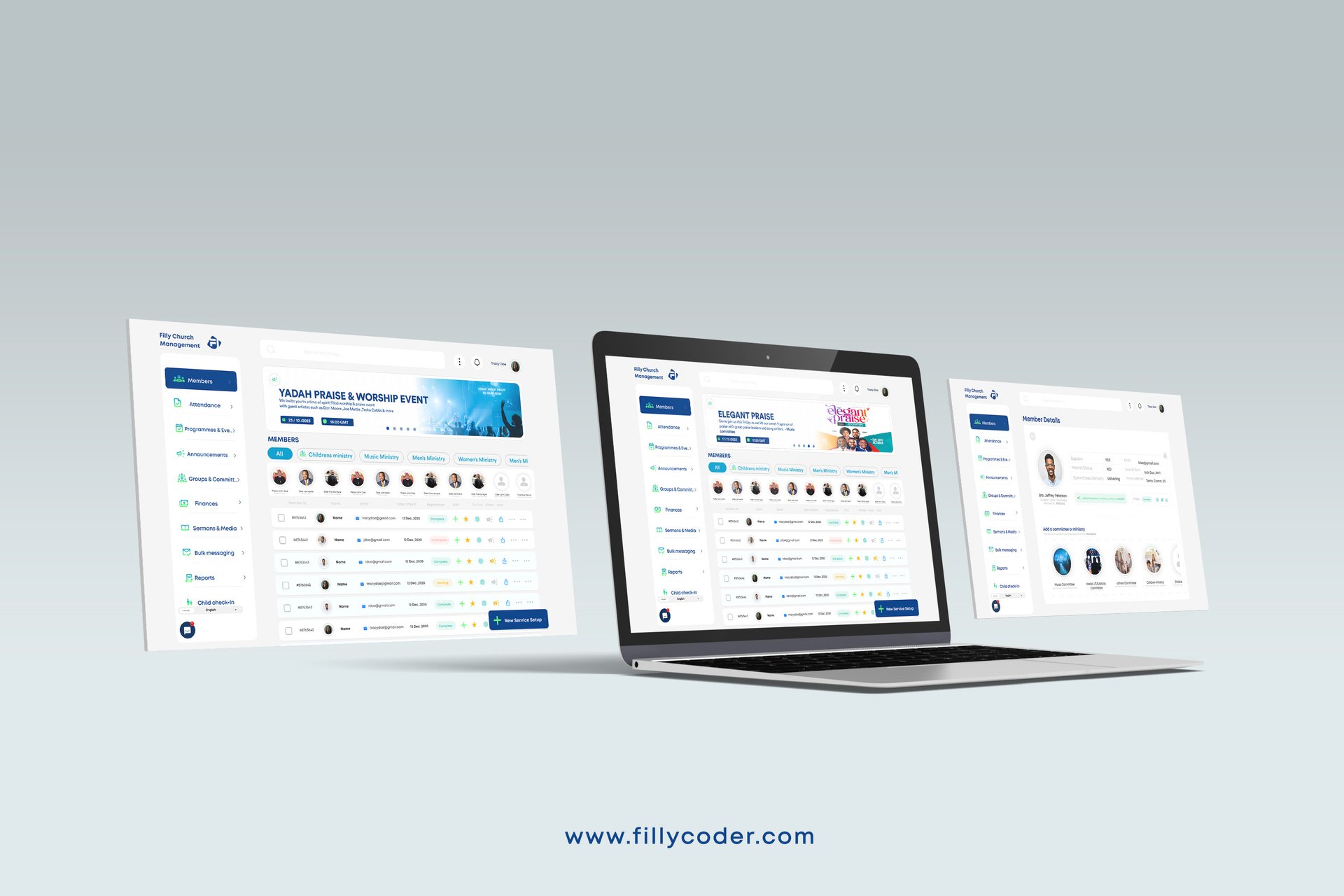
Our Role
Lead Product Designer
UI/UX Design
Task
We researched the needs of church teams, designed web and mobile interfaces, created intuitive dashboards and user flows, and prototyped and tested the product. We also collaborated with developers to support a smooth implementation and a satisfying experience.
Responsibilities
- Wire framing
- Visual Design
- User Interface Design
- User Experience Design
- Micro interactions Design
- High Fidelity Prototyping
- 3D Animated Presentation
- Interaction Design
Tools


Project Duration
2 Weeks
Problem statement
Many churches struggle to efficiently manage administrative, financial, and member engagement activities because of manual processes and disconnected tools. These challenges can lead to poor communication, data loss, and reduced participation.
Filly Church brings church management into one digital platform, simplifying operations, enhancing transparency, and fostering stronger community engagement through an intuitive, user-friendly experience.
Solutions
Centralized Member Management
One dashboard for member data, attendance, and contributions helps reduce manual record-keeping errors.
Seamless Communication Tools
In-app notifications, SMS, and email support timely updates, announcements, and event reminders.
Simplified Financial Tracking
Transparent tithe, donation, and expense tracking with clear dashboards and reports.
Event & Service Scheduling
Clear schedules and reminders make church events and volunteer assignments easier to manage.
User-Friendly Interface
Simple, accessible interactions help members and administrators of all ages navigate with ease.
Role-Based Access Control
Secure, tailored access for pastors, administrators, and members clarifies responsibilities and protects privacy.
Community Engagement
Discussion boards, prayer requests, and activity feeds help strengthen fellowship and participation.
Mobile Accessibility
Responsive web and mobile experiences keep members connected and informed wherever they are.
Design process
We followed a user-centered approach combining traditional methods with the Double Diamond process.
Empathize
User Research
Survey
Define
Goals
Wants
Needs
Ideate
Brainstorm
Create
Visualize
Refine
Prototype
Design
Test
Iterate
Validate
Test
Observe
Measure
Refine
Improve
Empathy map
We used an empathy map to understand church members’ and administrators’ needs and improve worship, communication, and management.

Thinks
Church events, updates, and finances should be in one place.
Communication between leaders and members should be organized.
Attendance and donations should take less time to track.

Says
Administrative work takes time away from ministry.
Church systems need to be simple for everyone to use.
Church data should be visible in one dashboard.

Does
Uses spreadsheets or WhatsApp for attendance and announcements.
Relies on calls and messages to coordinate teams.
Tries different tools but struggles to integrate them.

Feels
Frustrated by scattered systems and manual processes.
Hopeful about tools that strengthen community engagement.
Overwhelmed managing large congregations or branches.
Pain points
Complex Interfaces
Difficult-to-use tools make everyday church tasks harder to complete.
Manual Processes
Repetitive data entry consumes time and increases the risk of errors.
Low Engagement
Disconnected communication leaves members feeling out of touch with church activities.
User personas
Pastor Emmanuel Church Leader · Age 45
Goals & Needs
- Manage church operations and monitor member growth easily.
- Use simple dashboards for attendance, finances, and communication.
Pain Point
- Member involvement and offerings are difficult to track manually.
Sarah Owusu Church Secretary · Age 32
Goals & Needs
- Handle records, schedules, and communications efficiently.
- Plan events, send announcements, and manage data with ease.
Pain Point
- Current systems are slow and require repetitive manual entry.
Michael Mensah Church Member · Age 22
Goals & Needs
- Stay updated on church activities and contribute online.
- Access events, sermons, and online giving from a mobile device.
Pain Point
- It is hard to stay connected or informed outside service hours.
Deborah Tetteh Finance Officer · Age 38
Goals & Needs
- Manage church finances accurately and transparently.
- Track tithes, offerings, and budgets securely.
Pain Point
- Manual bookkeeping makes reports and audits stressful.
Style guide
Rubik
Empowering churches to grow, connect, and thrive.
In-app screens


Prototyping

Custom components


